Sample Applications
The following table provides a list of the available sample applications:
| Sample | Description | Location |
|---|---|---|
| Async Binding | Display all the rows right away and let them synchronize their data asynchronously. | AsyncBinding |
| Batch Updating | Batch together multiple modifications and do the update only once at the end. This can dramatically increase the performance. | BatchUpdating |
| Cardflow 3D View | A real, smoothly animated 3-dimensional universe to display your data in. | Views3D |
| Card View | In card view, data records are presented as individual 2D cards. Cards are laid out in columns... | CardView |
| Classic Table View | WPF's most solid implementation of the classic datagrid table view. | TableView |
| Column Chooser | Provides 3 different types of column choosers. The Column Chooser is also fully customizable. | ColumnChooser |
| Column Management | The datagrid can automatically size or resize columns in a number of different ways. You can... | ColumnMangement |
| Custom Filtering | In addition to the Excel-like auto filtering UI available in the column headers, the datagrid... | CustomFiltering |
| Custom Views | The sky is the limit with how this 100% lookless control can appear. | CustomViews |
| Data Virtualization | Also known as "Virtual Mode" or "Lazy Loading", data virtualization avoids loading the entire data source into memory, loading only records being displayed. | DataVirtualization |
| Edit Modes | For optimized data entry, you can control exactly when and how cell editors are displayed. | EditModes |
| Exporting | Built-in Excel and CSV exporting capabilities are provided. Sorting, column order, and column visibility will be respected. | Exporting |
| Flexible Binding | Fully supports WPF data binding, and can also bind to a wide variety of data sources including... | FlexibleBinding |
| Flexible Rows & Cells | Provides rows and cells to easily display any object or data other than the DataGrid's source. | FlexibleRowsCells |
| Formatting | Easily change the formatting of data cells, stat cells, and/or groups, along with the culture of any column. | Formatting |
| Grouping | Provides full support for multi-level grouping in both table view and card view. | Grouping |
| Included Editors | Provides rich editing and input experience. | IncludedEditors |
| Large Data Sets | With column virtualization and container recycling built into Xceed DataGrid for WPF, you can... | LargeDataSets |
| Live Updating | Update the content displayed in the grid on-the-fly! Changes made to the data source will... | LiveUpdating |
| Master/Detail | Powerful master/detail support lets you display hierarchical data in a tree-like fashion. | MasterDetail |
| Merged Column Headers | Merged column headers can be used to organize columns vertically under headers that span multiple columns... | MergedHeaders |
| Multi-view | Unlike most competing WPF suites, which force you to use separate "datagrid", "carousel", and... | MultiView |
| MVVM | Demonstrates how to use the grid in a MVVM scenario. | MVVM |
| Persist User Settings | Provides a built-in mechanism that allows you to easily save and restore all of the user's datagrid interface settings. | PersistSettings |
| Printing | Built-in printing and XPS-exporting capabilities are provided, with fully customizable page... | Printing |
| Selection | Provides different selection modes and navigation behaviors. | Selection |
| Spanned Cells | Demonstrates the datagrid’s automatic and manual cell merging capabilities. | SpannedCells |
| Summaries & Statistics | Easily display summaries anywhere in the grid: in the fixed headers or footers, scrolling... | SummariesAndStatistics |
| Tableflow View | The Tableflow™ view provides a rich, fluid, and high performance user experience. | Tableflow |
| Theming | Demonstrates our collection of themes for Table View, Tableflow View, TreeGridflow View, Card View and Compact Card View. | Theming |
| Tree Grid Flow View | Provides a layout similar to TableflowView, but detail columns are aligned with the columns of the master, and one column uses a tree-structure. | TreeGridflowView |
| Validation | Provides rich input validation, at either the cell, row, or business-object level, with error... | Validation |
Xceed DataGrid for WPF Live Explorer
The Xceed DataGrid for WPF Live Explorer (see Figure 1) demonstrates all the available features and flexibility of Xceed DataGrid for WPF. Each section provides one or more detailed samples demonstrating various features in a real-time environment.
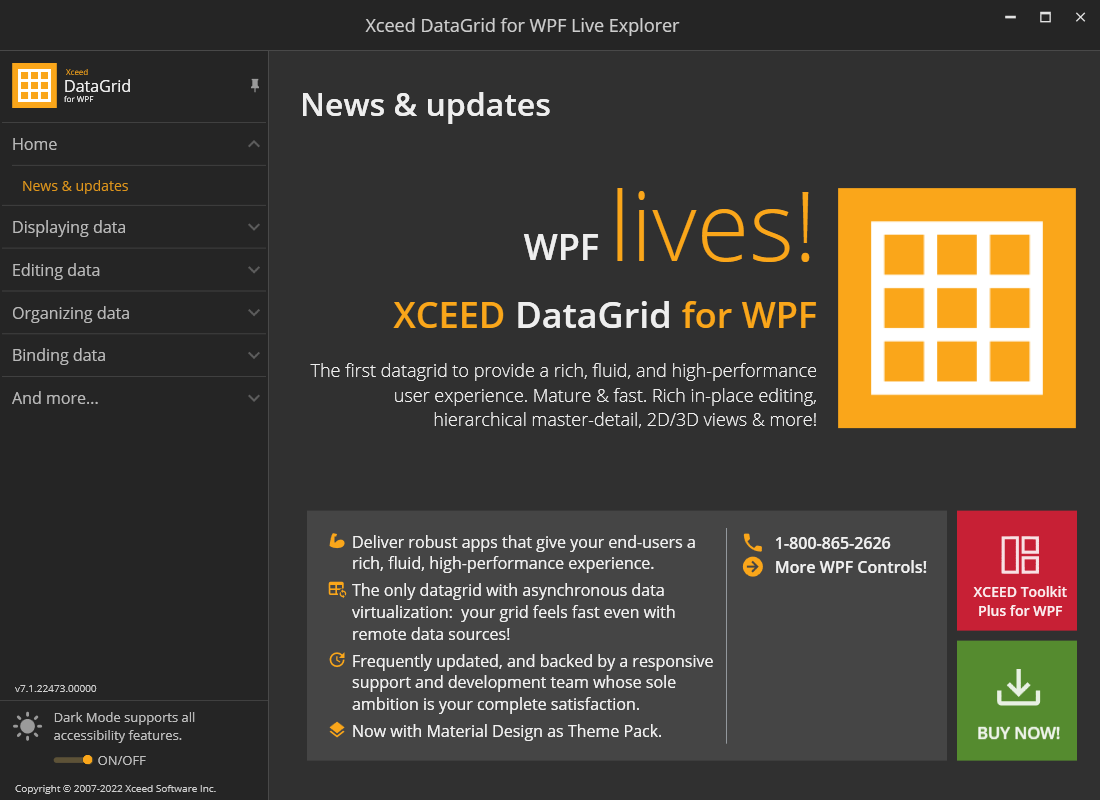
Figure 1: Xceed DataGrid for WPF Live Explorer
Sample Application Source Code
The source code for each sample is available in both C# and VB.NET in the following locations:
C# root folder: Xceed Samples\Xceed DataGrid for WPF v[VERSION]\CSharp\
VB.NET root folder: Xceed Samples\Xceed DataGrid for WPF v[VERSION]\Visual Basic .NET\
tip
By default, SAMPLE_INSTALLATION_DIR represents "C:\Xceed Samples".